


Starting this January, Google will not allow schools to provide students with Google Search without AI Overviews and AI Mode. Schools can offer Search with AI built in, or a version with Guided Learning, a feature still being piloted. I am very skeptical about beta-testing this product on our kids, as Google is doing. I share ways to act, from a Tech Advisory Committee to a petition calling for AI-free Search.
It is 2013, and the school my kids attended was giving each middle schooler their own tablet. Who was there giving talks to parents with fancy slide shows? Yep, a Google representative.
All of us parents were really upset about not having any say in whether our kids would get tablets to take home every day. Needless to say, as a social-change documentarian, the subject of my next film (i.e., Screenagers: Growing Up in the Digital Age) was starting to take shape.
Over the next few years, Google became a major presence in K–12 schools. A 2025 court filing in a lawsuit against Google stated that “nearly 70 percent of K–12 schools in the U.S. use Workspace for Education,” a suite of digital tools that includes Google Classroom, Docs, Drive, Gmail, and Meet.
While the basic version is free, Google makes money from schools in two main ways: paid premium versions of Workspace for Education and ChromeOS Education Upgrade licenses.
So here we are, 13 years after I sat in the room with the Google rep, and parents and schools, including myself and the Screenagers team, are all taken aback by Google's announcement this week. Many of us are very upset.
In brief, Google said that starting this January, schools wanting to offer Google Search to students will have two choices:
And Google will not allow schools to provide students with old-fashioned Google Search without AI Overviews and AI Mode right there.
While filming Screenagers: Generation AI at many schools, it was clear there was a big elephant in the room that needed to be addressed. Students so often had Google Search with AI Overviews and AI Mode on their school-issued devices. Meanwhile, schools said they weren't having students use AI.
It wasn't that schools weren't trying. Many were trying to have AI Overviews and AI Mode turned off. It often seemed impossible to do.
Many of us are upset that Google is making AI use its only option.
Clearly, using AI to help kids learn, when we know it is safe and effective and used sparingly, without replacing things we know are key to motivation, like teachers, will undoubtedly have some benefits.
But we don't yet know enough about Guided Learning in Google Search.
Take safety: What safeguards will be in place for students using Guided Learning? How will Google ensure that students are protected from harmful or inappropriate AI responses? And what about student privacy?
I am very skeptical about beta-testing this product on our kids, as Google is doing. For one thing, when we let Google chat interact with our kids at school in a conversational style, it sends the implicit message that this is safe to do, whether at school or at home. Large frontier models still are not proven safe for youth, and until rigorous testing occurs, can schools be sure these school versions are truly safe?


Learn more about showing our movies in your school or community!
Join Screenagers filmmaker Delaney Ruston MD for our latest Podcast

Learn more about our Screen-Free Sleep campaign at the website!
Our movie made for parents and educators of younger kids
Learn more about showing our movies in your school or community!
Register your interest in bringing our new movie to your school or community
The consumer version of Guided Learning exists on Gemini, and it does do the work for users. Google says their Classroom version will have greater restrictions than the consumer-facing one, but still, will it be safe and help them learn vs. offload thinking?
Take efficacy: Where are the independent studies showing that Guided Learning in Google Search actually improves learning? Google has shared research on Guided Learning in Gemini, but that is not the same as demonstrating the effectiveness of this new Search feature in everyday classrooms.
As neuroscientist and educator Jared Cooney Horvath, PhD, MEd, author of The Digital Delusion, says in Screenagers: Generation AI:
"And this is what I think the next big move in edtech is going to be. And you have to prove efficacy. You have to prove safety before we allow you to enter the classroom."
Schools want the best for their students, and parents and students do too. So when talking with schools as parents, and when communicating with parents as schools, let's assume the best intentions and find ways to work together as a team.
Regarding suggestion #1 above, consider helping create an all-inclusive tech advisory committee. Parents at one of the schools my kids attended organized a group of students, parents, school counselors, and administrators to meet every few weeks to discuss issues and develop solutions, and it was very productive. Student involvement is a key component.
Our film takes a fair, balanced approach to AI and provides information to help schools, parents, and students have productive conversations about these and other issues key to healthy youth development. That's why hundreds of schools thus far have decided to screen the film for their communities, and more and more are deciding to do so each week.
The petition, which I myself have signed, calls on Google to immediately provide schools and students with a Search option that is free of:
Organizations such as Distraction-Free Schools, Wait Until 8th, and many others, are great places to find similarly concerned people. Working together for change is a wonderful way to channel the emotions you may be feeling right now about AI and education, and now this Google move.
It makes me think of something I just texted my daughter, Tessa, this morning. I was responding to her text about a play she had just seen that made her emotional.
I wrote her this:
"Thank goodness for our emotions; that is what makes us human. A life filled with accepting, managing, and appropriately directing our emotions is a life worth living!"
So let's put whatever emotions we are feeling about this recent Google move into some sort of action. One such action is having a calm conversation with your child about it. As always, I am sharing some suggested questions to help make that happen.
1. Have you heard about the announcement Google just made that it will not allow schools to provide basic Google Search to their students? There has to be AI involved. Let's review what they announced.
2. Do you think students should be able to use Google Search without AI-generated answers? Why or why not?
3. The public school districts in NYC and Los Angeles have adopted restrictions on student use of generative AI: NYC up through 8th grade with supervised limited use in high school and LA through all grades. What do you think about that?
4. If you were on a Tech Advisory Committee at your school, what concerns or ideas about Google's role in schools would you raise? What other tech-related issues would you bring up with the committee?
Learn more about showing our movies in your school or community!
Join Screenagers filmmaker Delaney Ruston MD for our latest Podcast
Learn more about our Screen-Free Sleep campaign at the website!
Our movie made for parents and educators of younger kids
Join Screenagers filmmaker Delaney Ruston MD for our latest Podcast
Register your interest in bringing our new movie to your school or community
Subscribe to our YouTube Channel! We add new videos regularly and you'll find over 100 videos covering parenting advice, guidance, podcasts, movie clips and more. Here's our most recent:

As we’re about to celebrate 10 years of Screenagers, we want to hear what’s been most helpful and what you’d like to see next.
Please click here to share your thoughts with us in our community survey. It only takes 5–10 minutes, and everyone who completes it will be entered to win one of five $50 Amazon vouchers.
It is 2013, and the school my kids attended was giving each middle schooler their own tablet. Who was there giving talks to parents with fancy slide shows? Yep, a Google representative.
All of us parents were really upset about not having any say in whether our kids would get tablets to take home every day. Needless to say, as a social-change documentarian, the subject of my next film (i.e., Screenagers: Growing Up in the Digital Age) was starting to take shape.
Over the next few years, Google became a major presence in K–12 schools. A 2025 court filing in a lawsuit against Google stated that “nearly 70 percent of K–12 schools in the U.S. use Workspace for Education,” a suite of digital tools that includes Google Classroom, Docs, Drive, Gmail, and Meet.
While the basic version is free, Google makes money from schools in two main ways: paid premium versions of Workspace for Education and ChromeOS Education Upgrade licenses.
So here we are, 13 years after I sat in the room with the Google rep, and parents and schools, including myself and the Screenagers team, are all taken aback by Google's announcement this week. Many of us are very upset.
In brief, Google said that starting this January, schools wanting to offer Google Search to students will have two choices:
And Google will not allow schools to provide students with old-fashioned Google Search without AI Overviews and AI Mode right there.
While filming Screenagers: Generation AI at many schools, it was clear there was a big elephant in the room that needed to be addressed. Students so often had Google Search with AI Overviews and AI Mode on their school-issued devices. Meanwhile, schools said they weren't having students use AI.
It wasn't that schools weren't trying. Many were trying to have AI Overviews and AI Mode turned off. It often seemed impossible to do.
Many of us are upset that Google is making AI use its only option.
Clearly, using AI to help kids learn, when we know it is safe and effective and used sparingly, without replacing things we know are key to motivation, like teachers, will undoubtedly have some benefits.
But we don't yet know enough about Guided Learning in Google Search.
Take safety: What safeguards will be in place for students using Guided Learning? How will Google ensure that students are protected from harmful or inappropriate AI responses? And what about student privacy?
I am very skeptical about beta-testing this product on our kids, as Google is doing. For one thing, when we let Google chat interact with our kids at school in a conversational style, it sends the implicit message that this is safe to do, whether at school or at home. Large frontier models still are not proven safe for youth, and until rigorous testing occurs, can schools be sure these school versions are truly safe?
The consumer version of Guided Learning exists on Gemini, and it does do the work for users. Google says their Classroom version will have greater restrictions than the consumer-facing one, but still, will it be safe and help them learn vs. offload thinking?
Take efficacy: Where are the independent studies showing that Guided Learning in Google Search actually improves learning? Google has shared research on Guided Learning in Gemini, but that is not the same as demonstrating the effectiveness of this new Search feature in everyday classrooms.
As neuroscientist and educator Jared Cooney Horvath, PhD, MEd, author of The Digital Delusion, says in Screenagers: Generation AI:
"And this is what I think the next big move in edtech is going to be. And you have to prove efficacy. You have to prove safety before we allow you to enter the classroom."
Schools want the best for their students, and parents and students do too. So when talking with schools as parents, and when communicating with parents as schools, let's assume the best intentions and find ways to work together as a team.
Regarding suggestion #1 above, consider helping create an all-inclusive tech advisory committee. Parents at one of the schools my kids attended organized a group of students, parents, school counselors, and administrators to meet every few weeks to discuss issues and develop solutions, and it was very productive. Student involvement is a key component.
Our film takes a fair, balanced approach to AI and provides information to help schools, parents, and students have productive conversations about these and other issues key to healthy youth development. That's why hundreds of schools thus far have decided to screen the film for their communities, and more and more are deciding to do so each week.
The petition, which I myself have signed, calls on Google to immediately provide schools and students with a Search option that is free of:
Organizations such as Distraction-Free Schools, Wait Until 8th, and many others, are great places to find similarly concerned people. Working together for change is a wonderful way to channel the emotions you may be feeling right now about AI and education, and now this Google move.
It makes me think of something I just texted my daughter, Tessa, this morning. I was responding to her text about a play she had just seen that made her emotional.
I wrote her this:
"Thank goodness for our emotions; that is what makes us human. A life filled with accepting, managing, and appropriately directing our emotions is a life worth living!"
So let's put whatever emotions we are feeling about this recent Google move into some sort of action. One such action is having a calm conversation with your child about it. As always, I am sharing some suggested questions to help make that happen.
1. Have you heard about the announcement Google just made that it will not allow schools to provide basic Google Search to their students? There has to be AI involved. Let's review what they announced.
2. Do you think students should be able to use Google Search without AI-generated answers? Why or why not?
3. The public school districts in NYC and Los Angeles have adopted restrictions on student use of generative AI: NYC up through 8th grade with supervised limited use in high school and LA through all grades. What do you think about that?
4. If you were on a Tech Advisory Committee at your school, what concerns or ideas about Google's role in schools would you raise? What other tech-related issues would you bring up with the committee?
Subscribe to our YouTube Channel! We add new videos regularly and you'll find over 100 videos covering parenting advice, guidance, podcasts, movie clips and more. Here's our most recent:
Sign up here to receive the weekly Tech Talk Tuesdays newsletter from Screenagers filmmaker Delaney Ruston MD.
We respect your privacy.
It is 2013, and the school my kids attended was giving each middle schooler their own tablet. Who was there giving talks to parents with fancy slide shows? Yep, a Google representative.
All of us parents were really upset about not having any say in whether our kids would get tablets to take home every day. Needless to say, as a social-change documentarian, the subject of my next film (i.e., Screenagers: Growing Up in the Digital Age) was starting to take shape.
Over the next few years, Google became a major presence in K–12 schools. A 2025 court filing in a lawsuit against Google stated that “nearly 70 percent of K–12 schools in the U.S. use Workspace for Education,” a suite of digital tools that includes Google Classroom, Docs, Drive, Gmail, and Meet.
While the basic version is free, Google makes money from schools in two main ways: paid premium versions of Workspace for Education and ChromeOS Education Upgrade licenses.
So here we are, 13 years after I sat in the room with the Google rep, and parents and schools, including myself and the Screenagers team, are all taken aback by Google's announcement this week. Many of us are very upset.
In brief, Google said that starting this January, schools wanting to offer Google Search to students will have two choices:
And Google will not allow schools to provide students with old-fashioned Google Search without AI Overviews and AI Mode right there.
While filming Screenagers: Generation AI at many schools, it was clear there was a big elephant in the room that needed to be addressed. Students so often had Google Search with AI Overviews and AI Mode on their school-issued devices. Meanwhile, schools said they weren't having students use AI.
It wasn't that schools weren't trying. Many were trying to have AI Overviews and AI Mode turned off. It often seemed impossible to do.
Many of us are upset that Google is making AI use its only option.
Clearly, using AI to help kids learn, when we know it is safe and effective and used sparingly, without replacing things we know are key to motivation, like teachers, will undoubtedly have some benefits.
But we don't yet know enough about Guided Learning in Google Search.
Take safety: What safeguards will be in place for students using Guided Learning? How will Google ensure that students are protected from harmful or inappropriate AI responses? And what about student privacy?
I am very skeptical about beta-testing this product on our kids, as Google is doing. For one thing, when we let Google chat interact with our kids at school in a conversational style, it sends the implicit message that this is safe to do, whether at school or at home. Large frontier models still are not proven safe for youth, and until rigorous testing occurs, can schools be sure these school versions are truly safe?
Many teens turn to AI when struggling emotionally, but few admit it. In a new Jed Foundation survey, 57% of students said they had used AI to cope with hard emotions, yet only 8% said they seek its help. I share three questions to ask your teen, a story from my clinic, and why youth should turn to people, not AI.
READ MORE >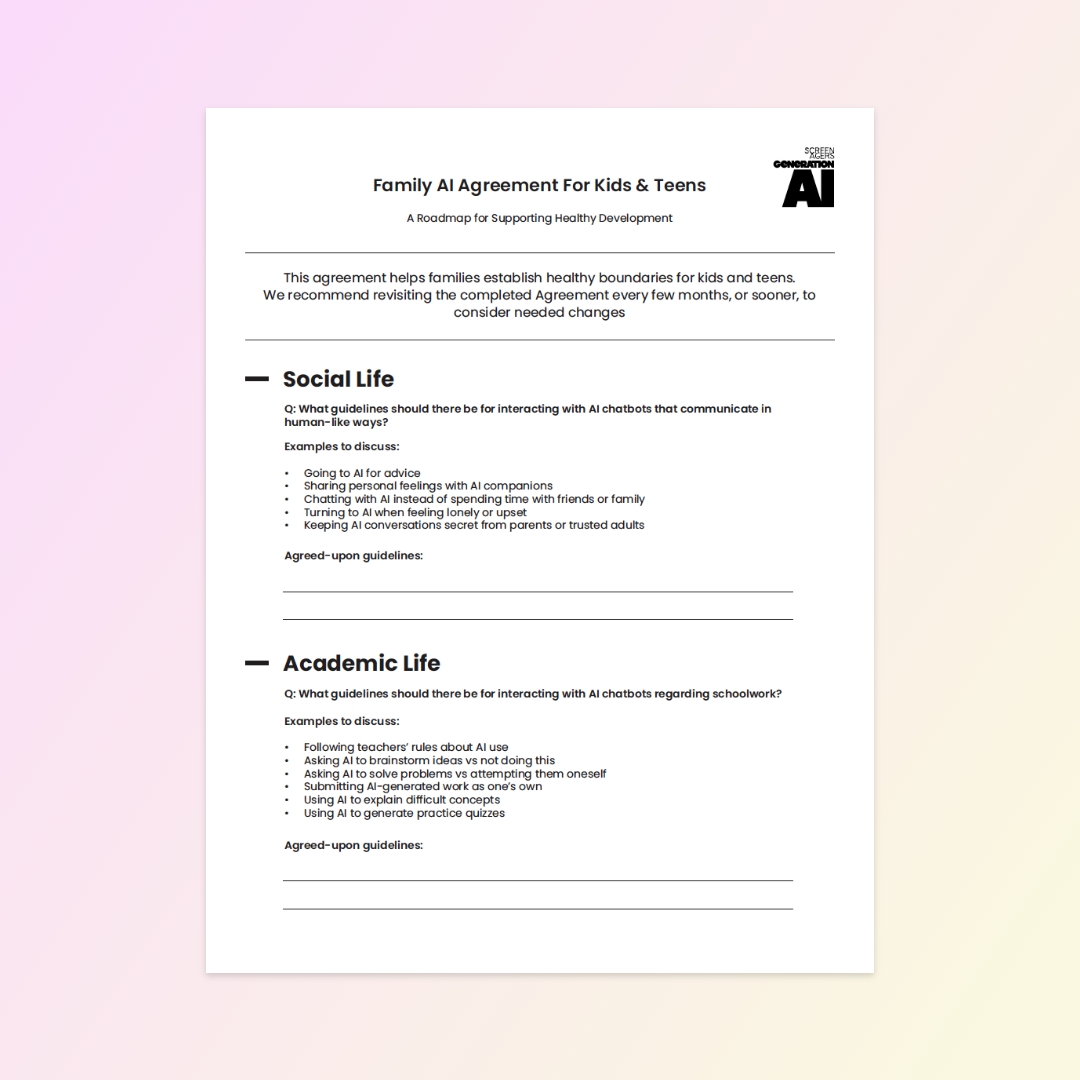
Nearly half of kids have never talked with their parents about AI safety. Our Family AI Agreement is a template to fill out together, covering social life, schoolwork, mental wellness, sleep, fakes, and privacy. The goal isn’t perfect rule-following but ongoing conversations about our WHYs.
READ MORE >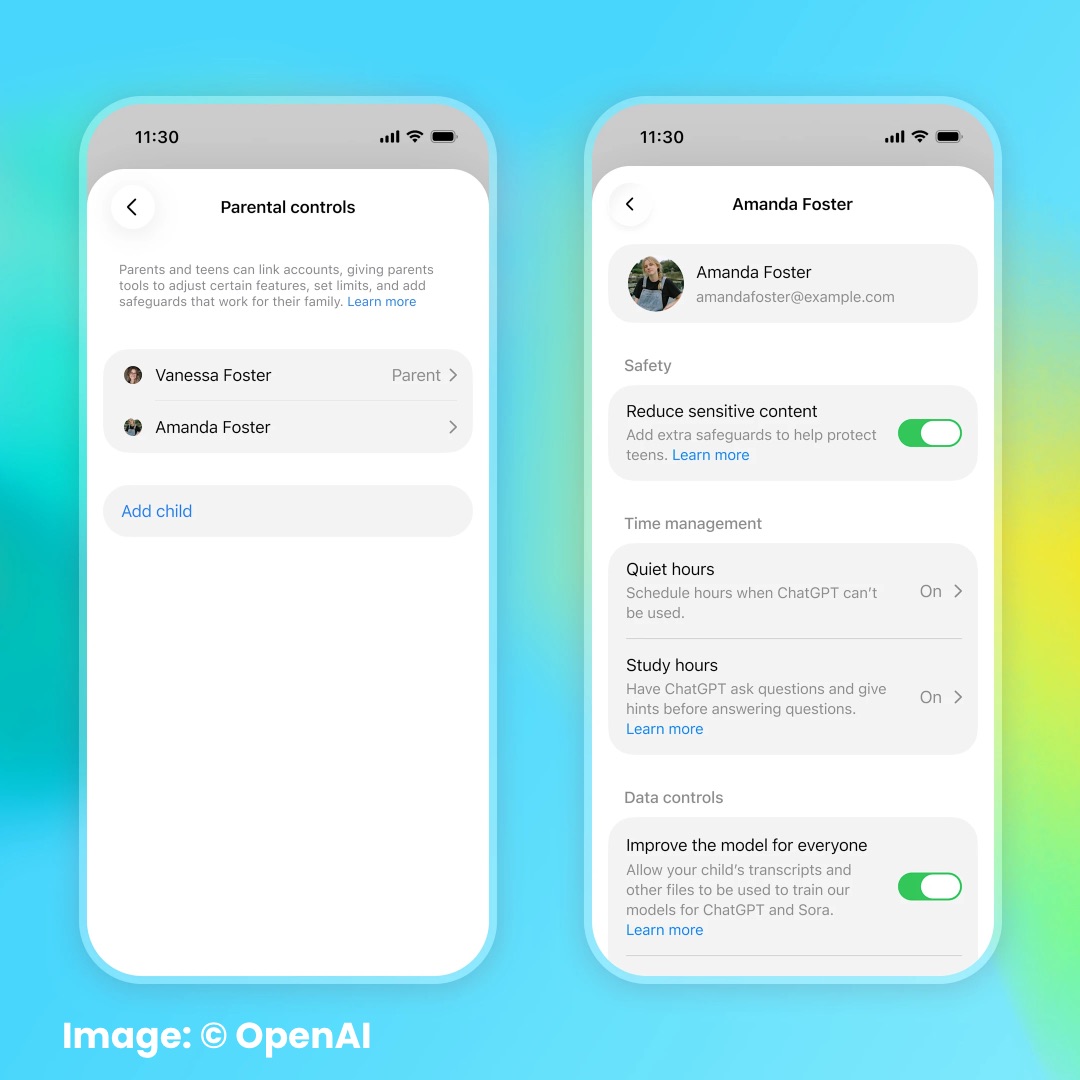
Common Sense Media’s Youth AI Safety Institute tested OpenAI’s new ChatGPT for Teens and rated it an “Unacceptable Risk” for all kids under 18. Parent alerts failed to fire even when teens discussed suicide, self-harm, or disordered eating, crisis support fell short, and it still does kids’ homework. The findings show why we need regulations requiring independent safety testing before these products reach teens.
READ MORE >for more like this, DR. DELANEY RUSTON'S NEW BOOK, PARENTING IN THE SCREEN AGE, IS THE DEFINITIVE GUIDE FOR TODAY’S PARENTS. WITH INSIGHTS ON SCREEN TIME FROM RESEARCHERS, INPUT FROM KIDS & TEENS, THIS BOOK IS PACKED WITH SOLUTIONS FOR HOW TO START AND SUSTAIN PRODUCTIVE FAMILY TALKS ABOUT TECHNOLOGY AND IT’S IMPACT ON OUR MENTAL WELLBEING.